
Contents (9)
Operating Systems and the Kernel
Applications on a computer need to be able to access the hardware. Only then can they store data on the hard disk, load processes into memory, and have the CPU process data using that memory information. Users also need to be able to run applications through a GUI, because that's the only way they can load the processes they want into memory by interacting with the computer. The thing that plays this role is the operating system (OS).
1. Operating Systems and the Kernel
User resources and execution stages can be divided hierarchically into kernel space, user space, system calls, and hardware. User space can access the kernel area through the system call interface, and the kernel area then manipulates the hardware according to the system call APIs used in user space.
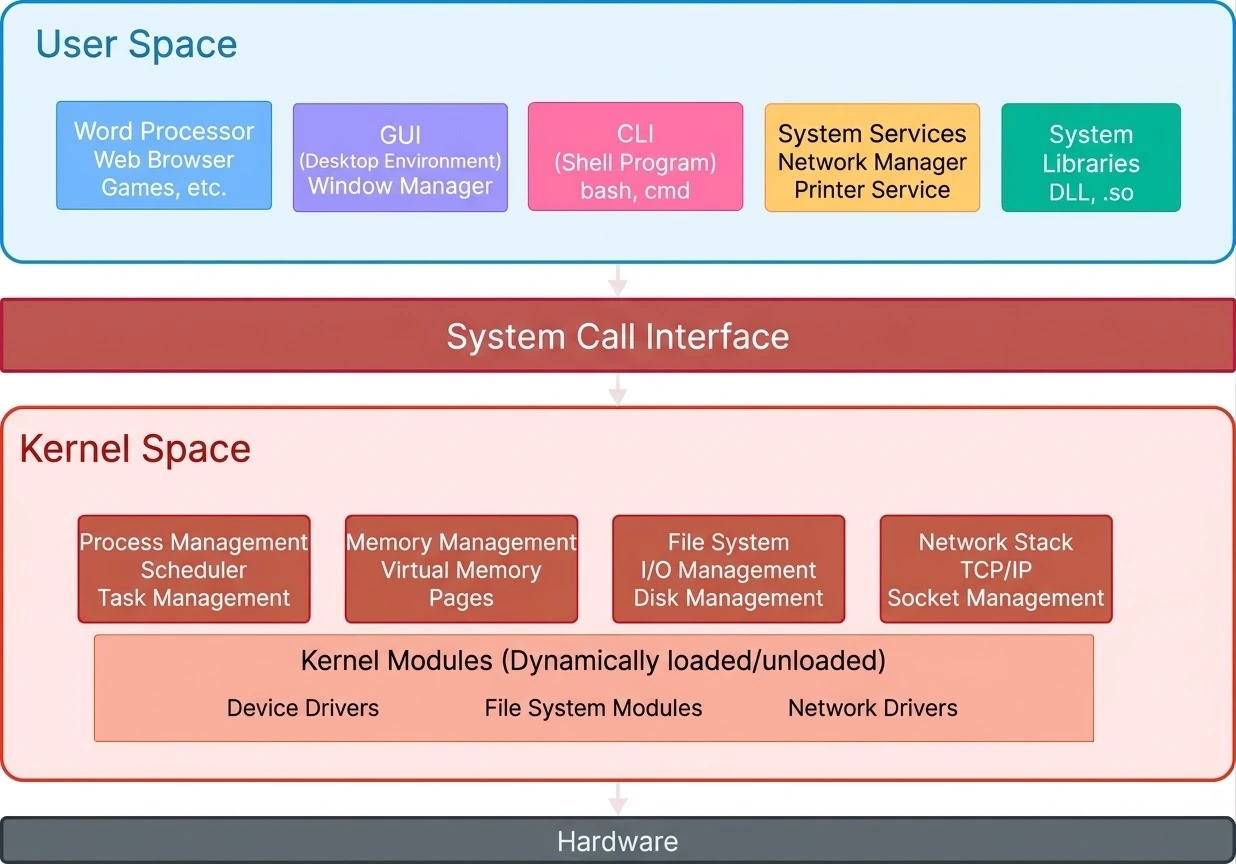
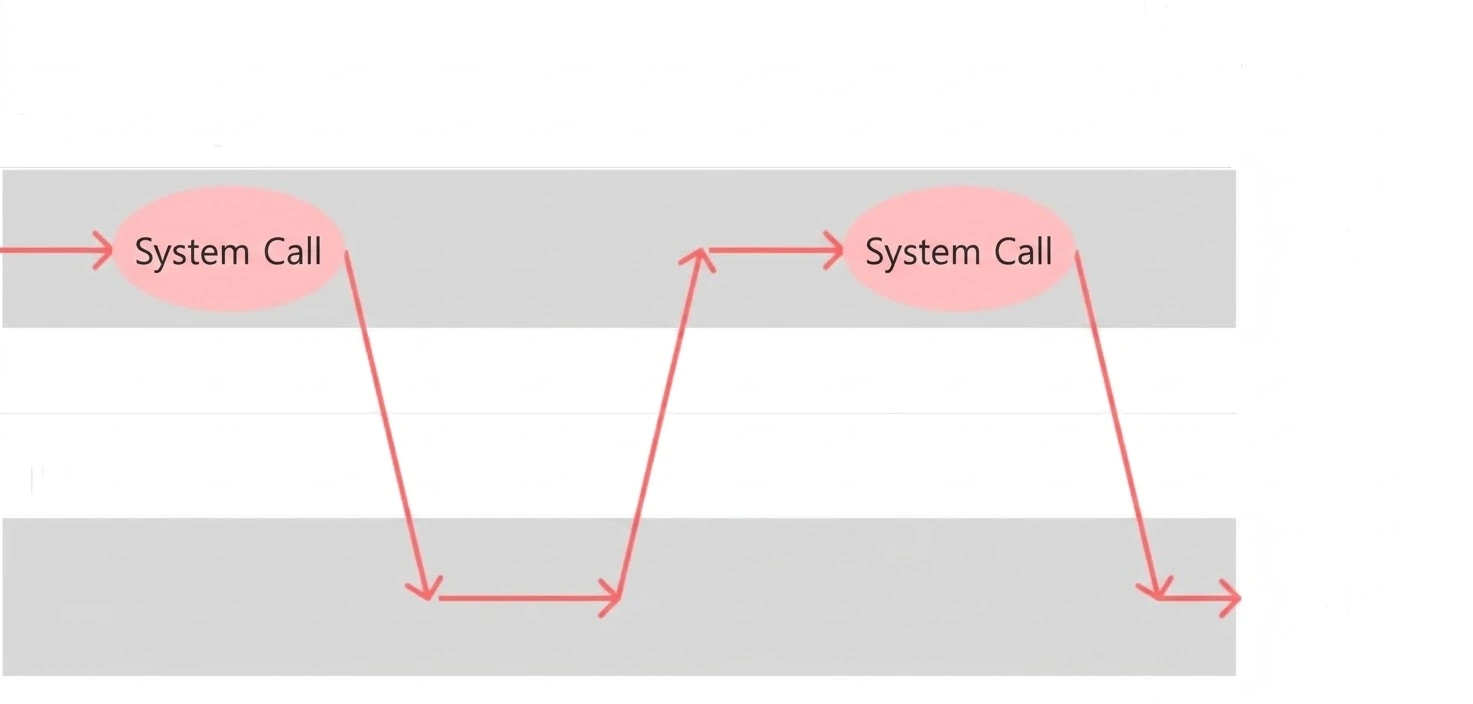
But just as user space and kernel space are separated, the CPU also has two modes: user mode and kernel mode. That's because if user mode could access the hardware without any control, there would be security and stability problems, and problems could also arise when multiple CPUs access the same resource, so this needs to be managed specially. The figure below shows the CPU executing instructions while distinguishing between the two modes of its dual mode.
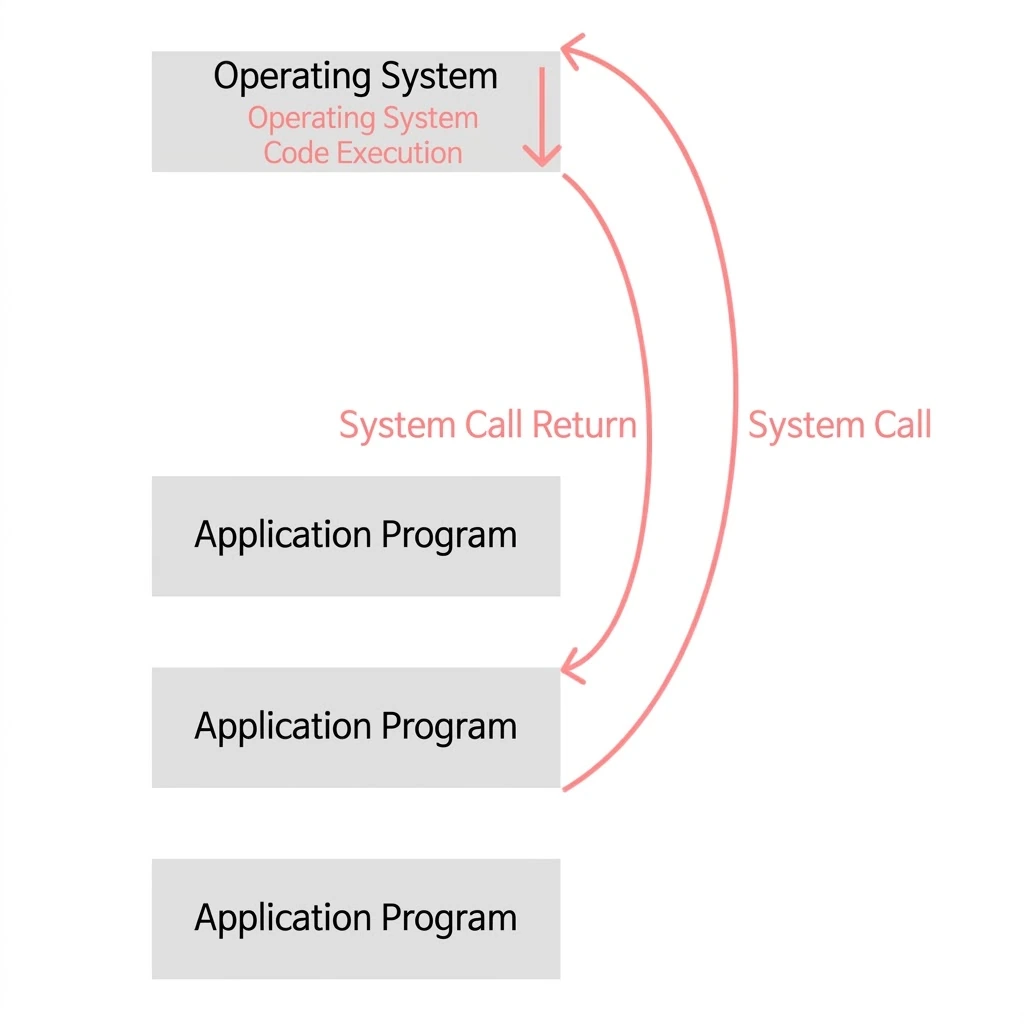
When an application wants to use instructions that need the kernel area, such as using a printer or writing to the hard disk, it enters kernel mode and then returns to user mode.
1.1 Operating System
An operating system is system software that supports and manages the interaction between computer hardware and applications. The operating system manages hardware resources (CPU, memory, storage devices, etc.) efficiently and provides an interface (GUI or CLI) so that users can use the computer conveniently. In other words, it plays the key role of controlling how the computer operates and creating the environment in which programs run.
And when programmers build processes that run in User Space (user space/mode), they develop their programs by using the operating system's APIs through the system call interface.
1.2 Kernel
When you turn on the computer, the operating system you selected starts up. The operating system itself is loaded into memory as software, and the operating system residing in memory is called the kernel. As the part that resides in memory, the kernel is the core part of the operating system. It's thanks to this kernel that the GUI screen gets displayed and the computer's devices and resources get managed.
2. Core Functions of the Operating System
Simply put, the core functions of an operating system are to provide a UI for interacting with users and to provide functions for accessing and controlling the hard disk, mouse, memory, and so on. It also manages resource allocation so that multiple processes can run efficiently.
2.1 Providing a UI
The operating system supports a GUI and a CLI as services for interacting with the computer. The reason we can open a folder by clicking it with the mouse is that the operating system provides a GUI, and the reason we can move between folders with the cd (change directory) command line is that the operating system provides a CLI we can interact with.
2.2 Safe Access to and Allocation of Computer Resources
Users always access the hardware area through kernel-area functions via system calls. Since direct access is restricted, an incorrect way of accessing things can't freeze up the system. Typical resources include the CPU, memory, ROM, and I/O devices like the mouse. A CPU can run only one process per core. So when there are multiple processes, the CPU has to be allocated fairly, and the OS takes care of this CPU scheduling.
Processes are also allocated in memory. The OS is also the one that decides which memory space is still free and at which address a process should be allocated.
Devices like the mouse and keyboard send interrupts to the CPU; the CPU backs up the work it was doing for a moment and runs an interrupt service routine in the kernel area to handle the I/O device's signal. It's the OS that provides the interrupt service routines that carry out this work.

2.3 Process Management
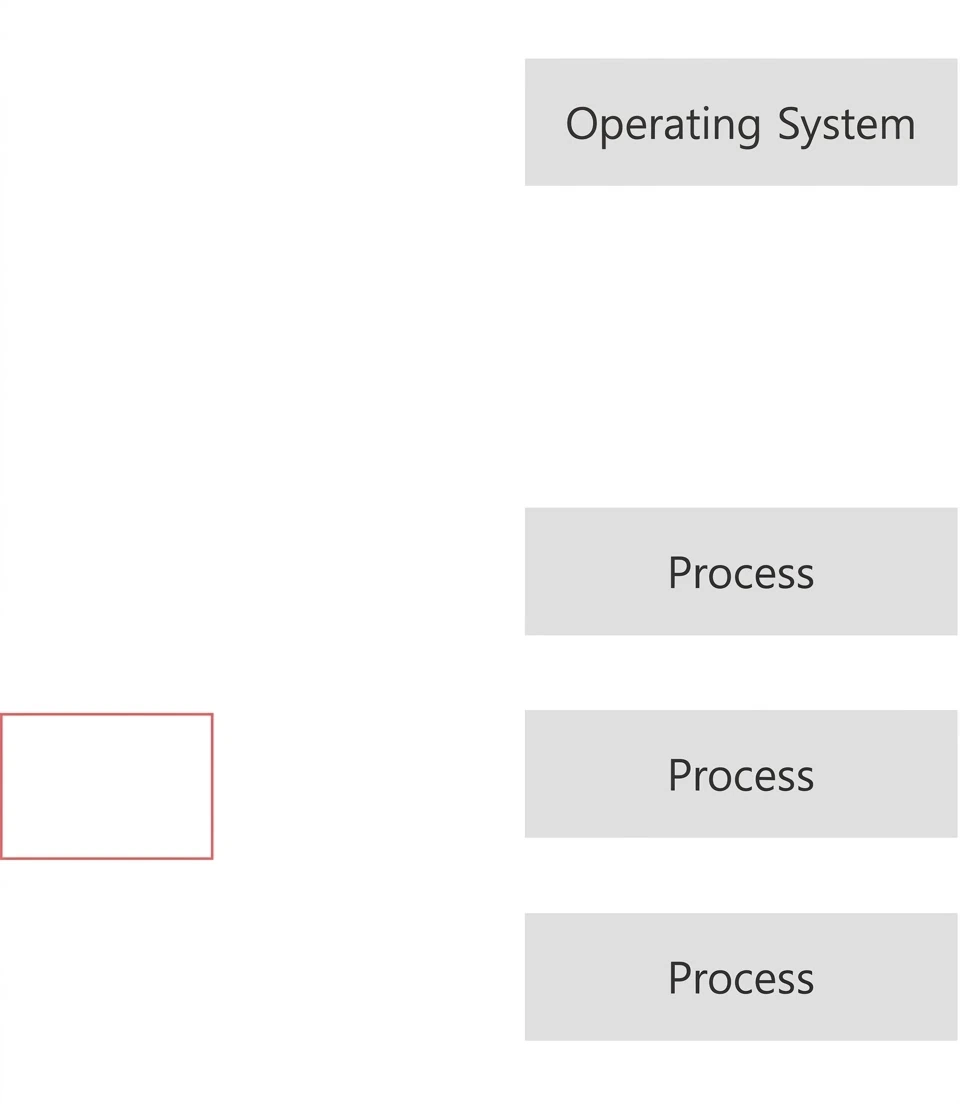
One CPU can run only one process at a time. So it takes turns running multiple processes. Each process is in a different state, too: some processes may be hard to run right now, while others may need to run quickly. The operating system manages the execution of these processes.
2.4 File System
A computer can manage files by grouping them into a single directory. This is one of the core functions provided by the operating system.